Unenas: A Modern PowerPoint Template for Clear, Confident Presentations
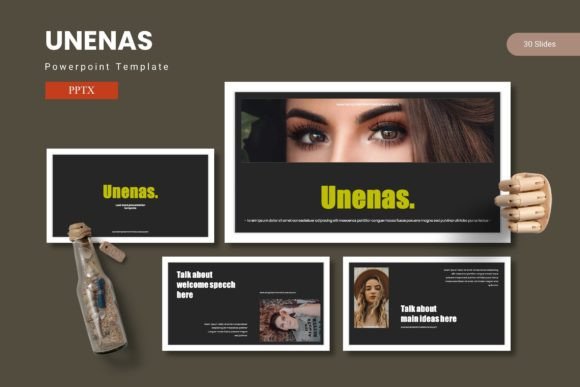
Presenting your ideas effectively means more than just good content; it requires a visual framework that enhances your message. The Unenas - Powerpoint Template is designed to be that framework, offering a clean, modern foundation for anyone who needs to deliver information with clarity and style. It’s a versatile design asset that helps transform complex data and concepts into engaging, professional narratives.
This template is built for creators and professionals who value both aesthetics and functionality. Whether you're preparing a business pitch, a project report, a marketing strategy, or an educational lecture, having a reliable set of slides can streamline your workflow. The design philosophy here focuses on balance—combining ample white space with structured layouts to guide your audience's attention exactly where you want it.
Creative Flexibility for Diverse Projects
One of the standout aspects of this PowerPoint design is its adaptability. With over 150 total slides across five premade color schemes, you have a substantial library to draw from. This variety means you can tailor the visual tone to match your brand identity or the specific mood of your presentation. The handcrafted infographics and pixel-perfect illustrations are particularly useful for visualizing statistics, processes, or timelines in a way that feels custom-made.
Practicality is key in a good presentation toolkit. The Unenas - Powerpoint Template includes features designed to save you time and reduce frustration:
- Master Slides & Placeholders: Editing is straightforward thanks to a structure based on master slides. The use of picture placeholders allows for simple drag-and-drop functionality, making it easy to insert your own images without disrupting the layout.
- Resizable Graphics: All graphic elements are fully editable and resizable, giving you control to adjust visuals to fit your specific content needs.
- Organized Sections: Dedicated section break slides help you structure your presentation logically, making it easier for your audience to follow along.
Tips for Making the Most of Your Slides
To ensure your presentation looks polished, start by selecting a color scheme from the five options that best aligns with your topic or company branding. Consistency in color helps reinforce professional presentation and brand recognition. When using the infographics, keep text concise—the visuals are designed to complement your talking points, not replace them entirely.
Consider your audience and setting. For a formal boardroom meeting, you might opt for a more restrained color palette and focus on data-driven slides. For a creative workshop or a marketing proposal, you could leverage the bolder color variations and portfolio-style slides to showcase work more dynamically. The template’s flexibility supports a range of contexts, from corporate to creative.
Enhancing Your Overall Design Workflow
A well-organized template does more than just create good-looking slides; it improves your efficiency. Having a consistent system of layouts, fonts, and graphic styles means you spend less time on formatting and more time refining your message. This can be especially valuable for small businesses, freelancers, or educators who wear many hats and need design assets that work reliably.
The inclusion of a gallery and portfolio slide is a thoughtful touch for anyone needing to display work samples, product images, or case studies. This feature bridges the gap between a standard presentation and a visual portfolio, making it a useful tool for creative pitches or client reviews.
Ultimately, choosing a thoughtfully designed template like Unenas is about investing in clarity and professionalism. It provides a structured yet flexible canvas that helps your ideas resonate, ensuring your content is presented with the visual impact it deserves. When your slides are clean, organized, and visually cohesive, your audience can focus on what truly matters: your message.